YouArt

Kling 4.0

Create 3–30 second videos at 720p or 1080p with Kling 4.0 on YouArt. Direct each shot with up to 10 keyframes, or guide it with image, video and audio references.

First frame
End frame
Middle Frame 1
Middle Frame 2
Middle Frame 3
Middle Frame 4
Middle Frame 5
Middle Frame 6
Middle Frame 7
Middle Frame 8
Middle Frame 9
Kling 4.0

What's new in Kling 4.0

Up to 10 keyframes

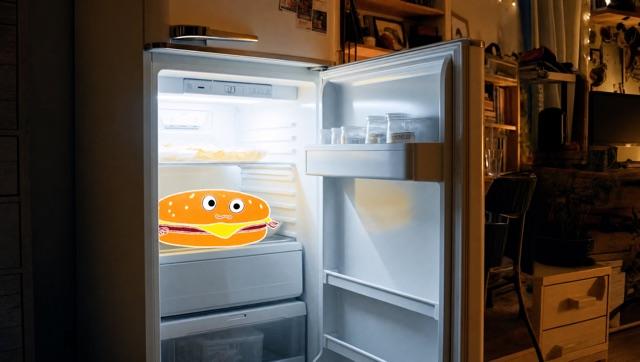
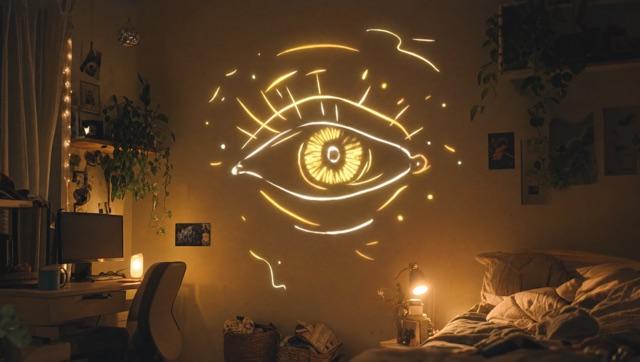
Set key moments with up to 10 keyframe images. You decide what each character is doing, where the scene changes and when each story beat lands; Kling 4.0 fills in the motion between them.
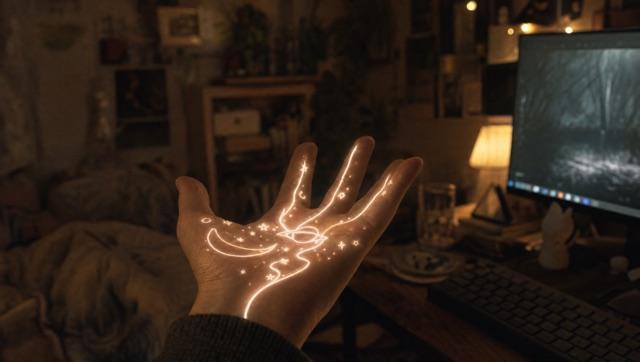
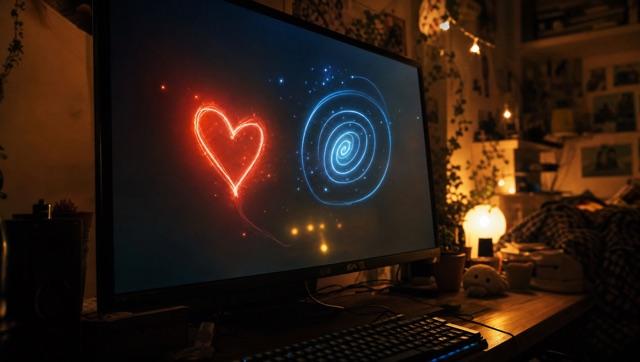
The four keyframes behind this shot
  1. A crescent moon, a ringed planet and stars drawn in light on an open palm
  2. A heart and a spiral drawn in light on a monitor
  3. A cartoon burger in an open fridge
  4. An eye drawn in light on a bedroom wall

Omni Reference: images, video and audio

Use up to 10 images, 5 videos and 3 audio clips in one generation, and name each one in your prompt as @Image1, @Video1 or @Audio1. Reference videos count for up to 30 seconds in total; each audio clip must be 5–30 seconds long.
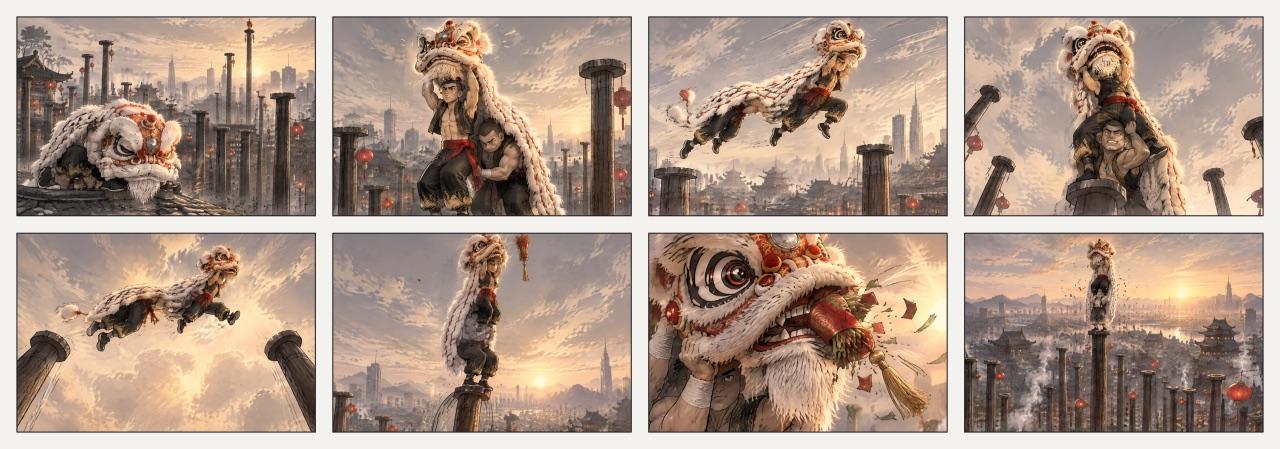
Eight-panel reference grid of a lion dancer leaping between rooftop poles
The reference grid behind this clip

Big motion, steady camera

High-speed action, continuous movement, tracking shots and orbiting camera moves stay stable and coherent from start to finish.

Dialogue in many languages

Characters can speak Chinese, English, Japanese, Korean, Spanish, Portuguese, German, French and more, with accents and dialects such as Beijing Mandarin, Cantonese, and British and American English. Kling 4.0 generates the sound in two-channel stereo with more accurate lip sync.

More ways to work with Kling 4.0

Edit a video in place

Add, change or remove subjects and backgrounds in an existing clip, or change its style, weather, colour, materials, shot size and camera angle while the rest of the scene holds steady. Keep the original sound or generate new audio.

Extend a clip

Continue a video by another 3–30 seconds and, if you like, choose the frame it ends on. You get the original clip and the new segment back as one video.

Remix a video you admire

Borrow a reference video's pacing, shot order and delivery, then swap in your own products, characters and assets for social posts and product ads.

Kling 4.0 vs Seedance 2.5

The same desert chase, made with Kling 4.0 and Seedance 2.5 on YouArt. Run your own prompt through both and keep the take that suits your story.

Kling 4.0 vs Kling 3.0

Kling 4.0 vs Kling 3.0
FeatureKling 4.0 on YouArtKling v3.0 on YouArt
Length3–30 seconds3–15 seconds
Resolution720p, 1080p720p, 1080p, 4K
Aspect ratios21:9, 16:9, 1:1, 9:16, auto16:9, 9:16, 1:1
Frame controlFirst and last frames, or up to 10 keyframesFirst and last frames
ReferencesUp to 10 images, 5 videos and 3 audio clipsFirst and last frame images only
SoundNative audio with lip syncOptional sound effects and ambient audio

Plans and pricing

Create with Kling 4.0 and other models using one credit balance.

Basic

For hobbyists and explorers
$11$9.99/mo
  • 1000 credits
  • Up to ~200 images/month
  • Up to ~332s video/month
  • Intelligent creative agent
  • Video editor
  • Latest image models, including GPT Image 2.5, GPT Image 2 and Nano Banana Pro
  • Latest video models, including Seedance 2
  • Realistic face uploads
  • Voice generation with ElevenLabs
  • Video uploads up to 50 MB
  • No watermark
  • Unlimited template access
  • Up to 20 new files per message
Popular

Pro

Save 16%
For creators and pro users
$36$29.99/mo
  • 3300 credits
  • Up to ~1000 images/month
  • Up to ~1100s video/month
  • Intelligent creative agent
  • Video editor
  • Latest image models, including GPT Image 2.5, GPT Image 2 and Nano Banana Pro
  • Latest video models, including Seedance 2
  • Realistic face uploads
  • Voice generation with ElevenLabs
  • Video uploads up to 200 MB
  • No watermark
  • Unlimited template access
  • Up to 30 new files per message

Max

Save 24%Best Value
For power users and teams
$198$149.99/mo
  • 18000 credits
  • Up to ~6000 images/month
  • Up to ~6000s video/month
  • Intelligent creative agent
  • Video editor
  • Latest image models, including GPT Image 2.5, GPT Image 2 and Nano Banana Pro
  • Latest video models, including Seedance 2
  • Realistic face uploads
  • Voice generation with ElevenLabs
  • Video uploads up to 200 MB
  • No watermark
  • Unlimited template access
  • Up to 50 new files per message

Team

Save 24%
For teams and studios
$435$329.99/mo
  • 36300 credits
  • Up to ~12000 images/month
  • Up to ~12100s video/month
  • Realistic face uploads
  • Share canvas, workflows, and assets with your team
  • Up to 10 members per team
  • Up to 5 teams
  • Role-based management
  • Team credit management and spending caps
  • Per-member usage tracking
  • Video uploads up to 200 MB
  • Up to 50 new files per message

Kling 4.0 FAQ

Kling 4.0 is Kling AI's video model for longer, more directed clips. On YouArt it creates 3–30 second videos at 720p or 1080p from a prompt, keyframes or image, video and audio references, and it can also edit or extend an existing clip.

Make your next video with Kling 4.0

Create with Kling 4.0

Kling is a trademark of Kuaishou Technology or its affiliates. YouArt is an independent platform, not affiliated with or endorsed by Kuaishou or Kling AI. Example videos from Kling AI, except the Seedance 2.5 comparison and the closing film, which were made on YouArt.