AI flyer generator

AI Flyer Generator for Events, Sales and Local Businesses

Write the headline, the details people need and a call to action, and get one designed flyer for a grand opening, a class or a community event. Add your own photo of the shop or a dish as the main picture, then proofread every word before you share it.

8 credits
Wrenfield Garden Club · Bake sale

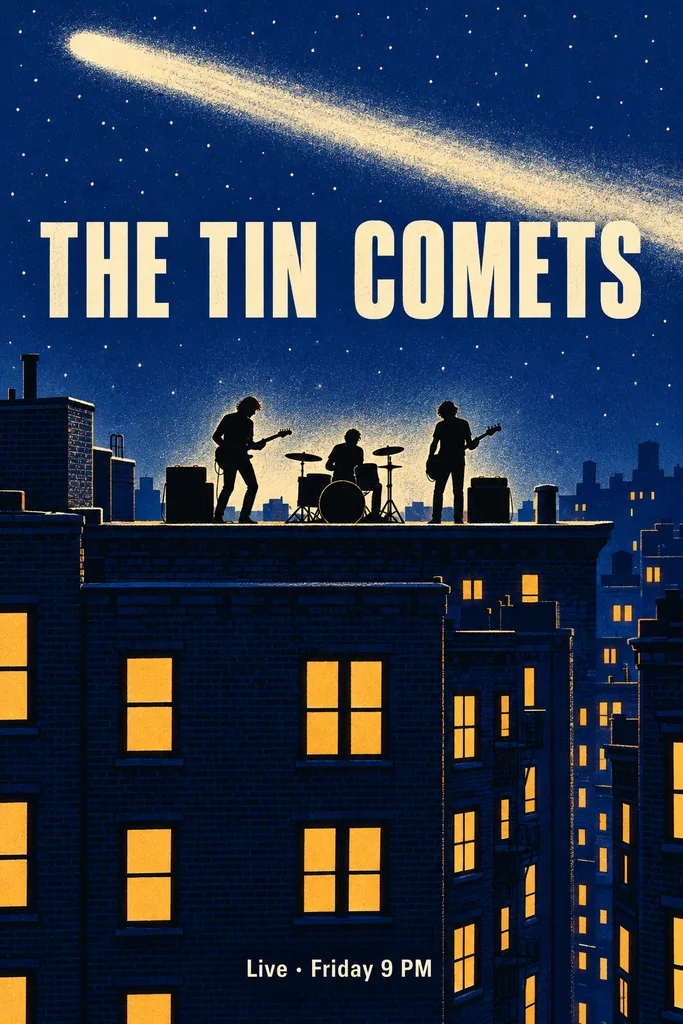
Flyer examples created with GPT Image 2.5

Flyers for Grand Openings, Open Houses, Classes and Community Events

  • PLUMWICK COFFEE · Grand opening
  • Thistlemark Realty · Open house
  • Moonfold Yoga · Beginner class
  • Hazelrow Library · Book swap

How it works

How to Make a Flyer with the AI Flyer Generator

  1. Step 1

    Write every line of your flyer

    Type the headline, two or three short details such as the day, time and place, and a call to action, then describe the look and colors. Add one image if you like: a photo becomes the main picture, or your own small logo is placed once.

  2. Step 2

    Generate a 3:4 flyer

    Each run creates one 1K flyer image in a 3:4 portrait frame, close to the shape of a letter page, for 8 credits.

  3. Step 3

    Proofread, then download

    Check every word, number and time at full size. If something is off, adjust that line in your prompt and run it again, then download the flyer you want to share or print.

On every flyer

Designed to Be Read Up Close

Details people can act on

Under the headline sits a short block of the two to four lines you write, with what people need to show up: the day, the time, the place or the offer. Keep each line short so it reads at a glance on a phone or a bulletin board.

Only the words you write

Every line on the flyer comes from the text you supply; with a photo and no words, it shows only the headline YOUR EVENT. It does not make up dates, prices, phone numbers, emails, or web or street addresses, and it adds no QR codes, barcodes, social icons, ratings or other companies' logos.

A clear reading order

The headline is the largest text, one photo or illustration backs it up, the details sit together and the call to action closes the layout. Name a style and colors, from soft watercolor to crisp photography, to set the mood.

Prompt ideas

AI Flyer Maker Prompts You Can Paste and Edit

Put the exact words for each line in quotation marks and keep every line short. Then describe the picture and colors, and swap in your own names, days and places.

Community book swap

Community event flyer. Headline: “Community Book Swap”. Details: “Saturday · 10 am – 1 pm” and “Hazelrow Library, Garden Room”. Call to action: “Bring a book, take a book”. Flat illustration of stacked books in bright, friendly colors.

Coffee shop grand opening

Grand opening flyer for a coffee shop. Headline: “PLUMWICK COFFEE”. Details: “Grand Opening”, “This Saturday from 8 am” and “14 Alder Street”. Call to action: “Come say hello”. Warm photo of a latte on the counter, cream and espresso colors.

Beginner yoga class

Class flyer for a yoga studio. Headline: “Beginner Yoga”. Details: “Tuesdays & Thursdays · 7 pm” and “Moonfold Yoga · 30 Birch Lane”. Call to action: “Book your first class”. Soft sage illustration of a rolled mat and a plant, calm and minimal.

Ways to use it

Flyer Ideas for Local Businesses and Community Groups

Announce an opening or an open house

Put the day, hours and address for a shop opening, a new service or an open house on one page, with your own photo of the storefront, a dish or the home as the main picture.

Fill a class or workshop

Promote a beginner class, a weekly workshop or a new session. Keep a repeating schedule to one short line and end with how to book, so people know the next step.

Spread the word about a community event

Book swaps, bake sales, neighborhood clean-ups and club meetings need the same few facts: what, when, where and what to bring. Pin the flyer on a library or coffee shop bulletin board, or hand out small prints.

Share it in messages and posts

The download is a single image, so it can go straight into a group chat, an email or a social post. Crop it in another app if a platform needs a different shape.

Create more with one YouArt membership

This generator uses 8 credits for one 1K image. Membership credits work across YouArt image, video, audio, and workflow tools.

Basic

For hobbyists and explorers

$9.99/mo
Select Plan
  • 1000 credits
  • Up to ~200 images/month
  • Up to ~332s video/month
  • Intelligent creative agent
  • Video editor
  • Latest image models, including GPT Image 2.5, GPT Image 2 and Nano Banana Pro
  • Latest video models, including Seedance 2
  • Realistic face uploads
  • Voice generation with ElevenLabs
  • No watermark
  • Unlimited template access

Pro

Popular

For creators and pro users

$29.99/mo
Select Plan
  • 3300 credits
  • Up to ~1000 images/month
  • Up to ~1100s video/month
  • Intelligent creative agent
  • Video editor
  • Latest image models, including GPT Image 2.5, GPT Image 2 and Nano Banana Pro
  • Latest video models, including Seedance 2
  • Realistic face uploads
  • Voice generation with ElevenLabs
  • No watermark
  • Unlimited template access

Max

Best Value

For power users and teams

$149.99/mo
Select Plan
  • 18000 credits
  • Up to ~6000 images/month
  • Up to ~6000s video/month
  • Intelligent creative agent
  • Video editor
  • Latest image models, including GPT Image 2.5, GPT Image 2 and Nano Banana Pro
  • Latest video models, including Seedance 2
  • Realistic face uploads
  • Voice generation with ElevenLabs
  • No watermark
  • Unlimited template access

Team

For teams and studios

$329.99/mo
Select Plan
  • 36300 credits
  • Up to ~12000 images/month
  • Up to ~12100s video/month
  • Realistic face uploads
  • Share canvas, workflows, and assets with your team
  • Up to 10 members per team
  • Up to 5 teams
  • Role-based management
  • Team credit management and spending caps
  • Per-member usage tracking

Frequently asked questions

AI Flyer Generator FAQ

It makes one flyer image: a bold headline, one supporting photo or illustration, two to four short detail lines from your words, such as the date, time, place or offer, and a call to action when you write one, in a clear type hierarchy. Attach a photo to make it the main picture, or your own small logo to have it placed once.

Give the exact words for each line: a short headline, two or three details such as the day, time and place, and a call to action like “Come say hello” at the end. Then describe the picture and colors. Nothing is filled in for you, so include any price, offer or contact detail you want shown. An image with no words gets the placeholder headline YOUR EVENT.

Not always. AI lettering can drop, repeat or swap letters, especially in small type and long lines. Keep each line short, write dates and times exactly as they should appear, and proofread every word at full size before you share or print the flyer. If a line is wrong, shorten or reword it and generate again.

Choose a flyer when people read it up close, in the hand, on a bulletin board or on a phone, and need practical details: when, where and what to do next. A poster is read from across a room, so it leads with one big image and a short title. For gigs, exhibitions and wall art, use the AI Poster Generator.

Each run gives you one 1K image, sized for sharing on screens and for small prints. It is a finished picture, not an editable template, so the words cannot be edited as text, and it makes no print bleed files or multi-page brochures. Add a QR code in a design editor if you need one.

Each generation costs 8 YouArt credits and creates one image. Changing your wording does not spend credits; each new version you generate is a separate run.

Build beyond one image

Turn your result into a complete creative workflow

Open YouArt's visual canvas to connect generation, editing, upscaling, animation, and sound in one reusable process.