

Quiet places, warm light

Lofi Background Generator

Create a lofi background for your desktop, a study playlist cover or a creator backdrop. Describe a rain-lit desk, a late-night train or a cabin reading corner, or upload a room photo as a starting point. The lofi background generator turns the scene into a softly drawn still image with muted colors, warm lamps and a little grain. Choose a wide, tall or square format before generating; this page creates pictures, not music or animated loops.

8 credits
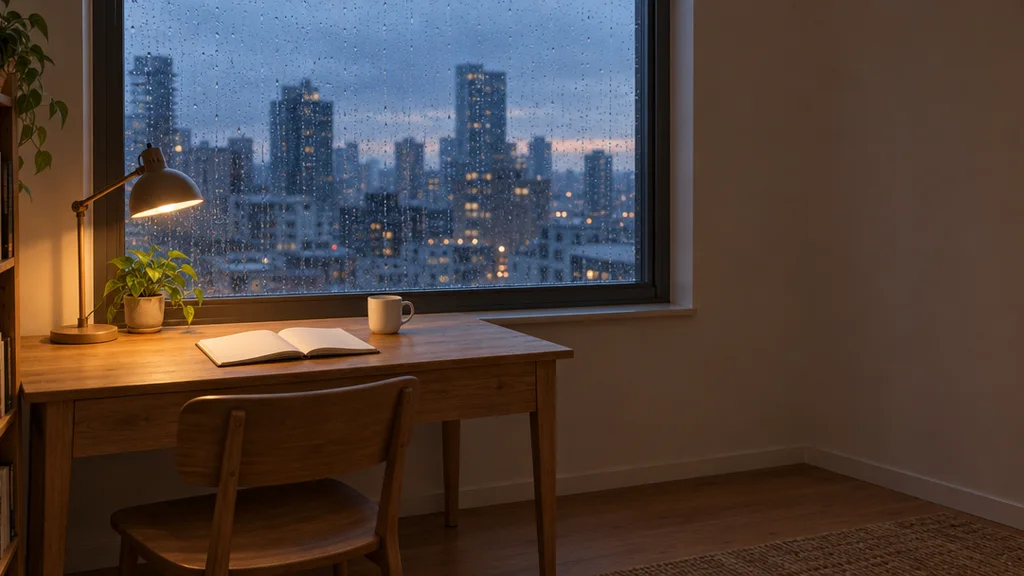
Photograph of a wooden desk with a lamp, plant, open book and cup beside a rainy window overlooking a city at dusk
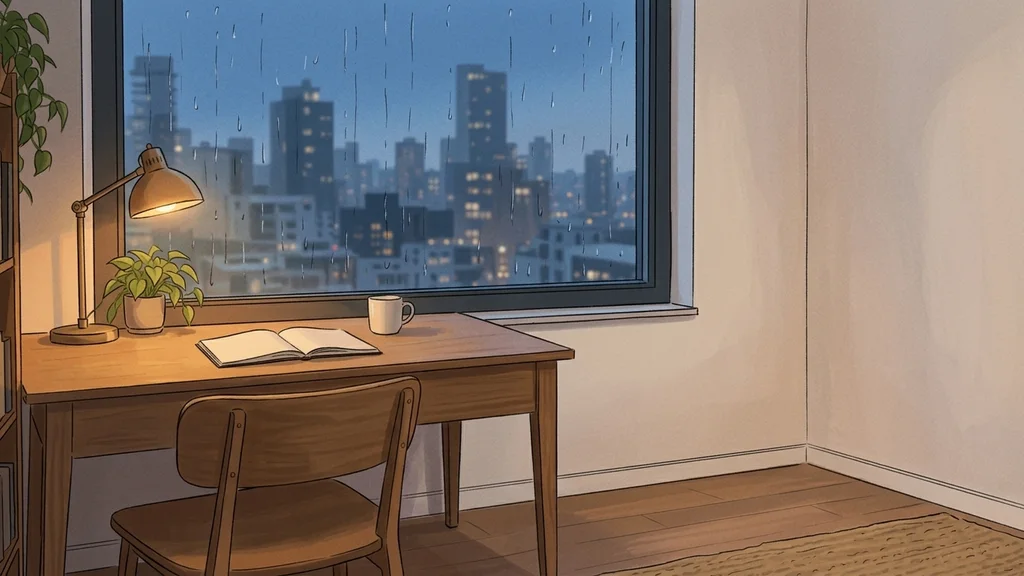
Illustrated wooden desk and warm lamp beside a large window overlooking a blue evening city
Warm desk light meets a cool evening city

Style examples · GPT Image 2.5

Lofi Background Generator Examples

  • A warm desk beside a rainy window
  • An empty café in autumn light
  • A quiet train ride after dark
  • A reading corner facing the forest

From an idea to an image

How to Create a Lofi Background

  1. Step 1

    Describe a place or upload a photo

    Start with the place, time and weather: an empty café at dawn or a bedroom on a rainy evening. A clear room photo can guide the main objects and their arrangement. Text is optional when you upload an image; a few words can instead shift the palette or light. Avoid a long list of unrelated props that competes with the scene.

  2. Step 2

    Choose a format and create the scene

    Select desktop for a wide 16:9 scene, mobile for a tall 9:16 wallpaper or square for a 1:1 cover. Sign in and generate at the displayed credit cost. Look for a clear focal area and breathing room around it. If the result feels crowded, ask for fewer objects rather than more detail everywhere.

  3. Step 3

    Save the still background

    Open the result in your generation session and download the version you prefer. Check the image at the size where you will use it. Leave space for any title or interface you add later, since the generator is asked not to include writing. A downloaded background is a still image; add motion or audio separately if your project needs them.

Choose the details that matter

Lofi Background Generator for Cozy Illustrated Scenes

Soft light rather than bright effects

The visual direction favors matte surfaces, restrained grain and warm practical light against cooler surroundings. A lamp beside a rainy window can set the mood without neon grids or glossy 3D objects. Describe one warm accent and a quieter background palette for a scene that remains readable behind desktop icons.

Room, weather and palette in your words

Change the setting through the prompt: a library, a train carriage, a tiny café or a forest cabin. Specify morning fog, light rain or evening blue, then choose a few colors. These details guide the image rather than acting as separate weather or lighting controls. The format selector changes the shape of the output.

Bring a familiar place into the illustration

Upload a photo when the layout matters. The main objects and arrangement guide a new illustrated scene, while smaller details may change. A reference is useful for a desk, reading nook or window view, but it is not an exact photographic reconstruction. Clear lighting and an uncluttered source make the intended scene easier to interpret.

A useful starting point

Lofi Background Prompt Ideas

Use one scene or design per prompt. Name the main subject first, then describe a few materials, colors and lighting details.

A rainy study desk

An empty wooden study desk beside a rain-speckled window, a small amber lamp, two closed books, cool blue evening outside, muted hand-drawn colors and generous clear space on the left.

A late train ride

A quiet train carriage with two blue seats and a canvas bag, distant city lights beyond the window, warm ceiling light, soft matte illustration and gentle grain, no passengers.

A cabin reading corner

A green armchair with a rust-colored blanket beside a forest-facing window, a simple floor lamp, mist between fir trees, subdued green and warm cream colors, calm illustrated depth.

Make it work for your project

Use a Lofi Wallpaper Where the Scene Can Breathe

Desktop and phone wallpapers

Match the format to your screen before generating. A wide scene gives a desk and window room to sit side by side; a tall image works better with a vertically stacked reading corner. Keep important objects away from the edge if your device will crop the wallpaper.

Playlist and stream artwork

Create a visual backdrop for a playlist cover or a stream starting screen. Choose an empty scene with space for your title, then add typography in your editor. The page does not generate a soundtrack or a looping video.

Backgrounds for creator layouts

Use a softly lit scene behind a presentation or a channel graphic. Ask for a quieter area where other content will sit. Review contrast after adding your own text; an attractive background alone does not make every overlay readable.

Illustrated versions of real rooms

Explore a different mood for a familiar workspace without redesigning the whole room. A photo can guide the desk, window and major furniture while the prompt changes the time of day or color emphasis.

Create more with one YouArt membership

This generator uses 8 credits for one 1K image. Membership credits work across YouArt image, video, audio, and workflow tools.

Basic

For hobbyists and explorers

$9.99/mo
Select Plan
  • 1000 credits
  • Up to ~200 images/month
  • Up to ~332s video/month
  • Intelligent creative agent
  • Video editor
  • Latest image models, including GPT Image 2.5, GPT Image 2 and Nano Banana Pro
  • Latest video models, including Seedance 2
  • Realistic face uploads
  • Voice generation with ElevenLabs
  • No watermark
  • Unlimited template access

Pro

Popular

For creators and pro users

$29.99/mo
Select Plan
  • 3300 credits
  • Up to ~1000 images/month
  • Up to ~1100s video/month
  • Intelligent creative agent
  • Video editor
  • Latest image models, including GPT Image 2.5, GPT Image 2 and Nano Banana Pro
  • Latest video models, including Seedance 2
  • Realistic face uploads
  • Voice generation with ElevenLabs
  • No watermark
  • Unlimited template access

Max

Best Value

For power users and teams

$149.99/mo
Select Plan
  • 18000 credits
  • Up to ~6000 images/month
  • Up to ~6000s video/month
  • Intelligent creative agent
  • Video editor
  • Latest image models, including GPT Image 2.5, GPT Image 2 and Nano Banana Pro
  • Latest video models, including Seedance 2
  • Realistic face uploads
  • Voice generation with ElevenLabs
  • No watermark
  • Unlimited template access

Team

For teams and studios

$329.99/mo
Select Plan
  • 36300 credits
  • Up to ~12000 images/month
  • Up to ~12100s video/month
  • Realistic face uploads
  • Share canvas, workflows, and assets with your team
  • Up to 10 members per team
  • Up to 5 teams
  • Role-based management
  • Team credit management and spending caps
  • Per-member usage tracking

Questions, answered

Lofi Background Generator FAQ

It creates one still illustration of a calm place, such as a study desk, café or train interior. The style uses muted color, soft light, simplified contours and fine grain. It is a background image generator, not a lofi music maker or an animation tool.

Build beyond one image

Turn your result into a complete creative workflow

Open YouArt's visual canvas to connect generation, editing, upscaling, animation, and sound in one reusable process.




