Light, colour and atmosphere

Monet Filter for Impressionist Paintings

Turn a garden, a portrait or a place you imagine into a painting shaped by light. Loose touches of colour suggest leaves, fabric and reflected water, while softened edges bring the scene together. Start with a photograph or describe a new subject to create your own Monet-inspired image.

8 credits
Morning light across a quiet harbour.

Impressionist scenes

Monet-Style Light Across Four Subjects

  • Dappled light through a garden
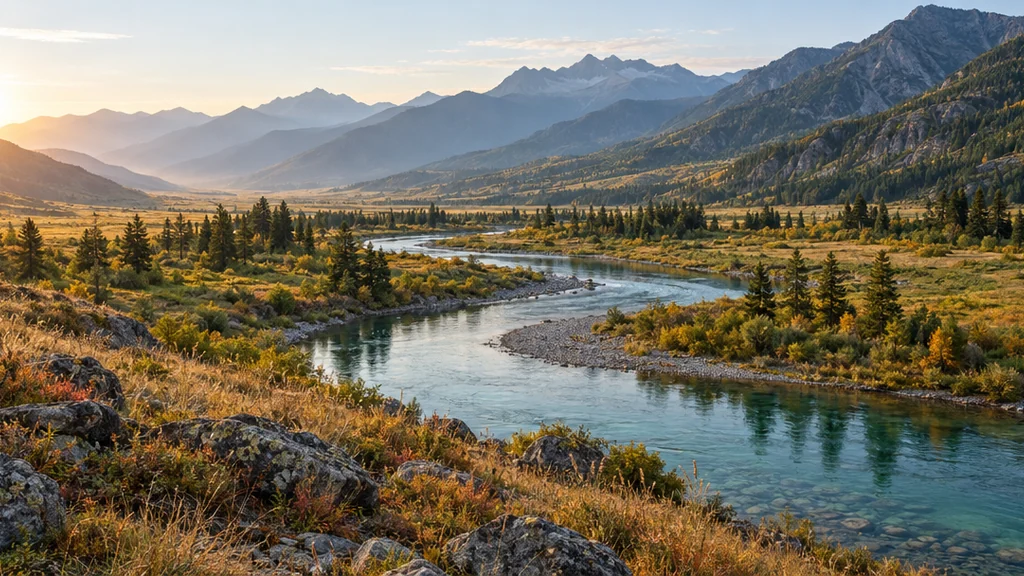
  • A river softened by morning mist
  • A portrait in meadow light
  • Afternoon on a cafe terrace

How it works

Turn a Photo into a Monet-Inspired Image

  1. Step 1

    Start with a place or a person

    Upload a clear photo, or describe the scene you want to paint. Natural subjects, open light and a clear composition give the impressionist treatment room to develop.

  2. Step 2

    Choose the atmosphere

    Add a time of day, weather or colour direction if you wish, then generate. A reference can also run without words, using its existing scene as the starting point.

  3. Step 3

    Save your painting

    Review the balance of light and colour and download the image. To explore the same place in another mood, try a new description with mist, afternoon sun or cooler shadows.

Inside the impressionist look

Colour Suggests the Detail

Small touches of colour

Neighbouring dabs of lavender, green, blue and warm cream suggest forms without outlining every detail. The scene becomes clearer when viewed as a whole, like a painted impression of a moment.

Light sets the mood

Morning mist, filtered sunlight and a bright overcast sky produce different atmospheres. Naming the light is often more useful than listing every leaf or window in the scene.

Gentle transitions

Contours soften where the subject meets the air, foliage or water. This works well for a calm landscape or an outdoor portrait where the surroundings are part of the feeling.

Prompt ideas

Three Scenes for the Monet Filter

Name the subject, the light and the atmosphere. Keep the description focused so a long list of tiny details does not compete with the overall impression.

A garden in afternoon sun

A winding path through pink roses and white daisies, a simple wooden gate in the distance, dappled afternoon light and lavender shadows.

A quiet river morning

A small wooden rowing boat tied beside a grassy riverbank, tall willows softened by morning mist, pale blue water and loose golden reflections.

A portrait outdoors

A person in a cream dress and a straw hat with a blue ribbon, seated beside a flowering meadow, relaxed hands and warm light filtering through leaves.

Places to begin

Paint a Familiar Moment Differently

Garden and travel memories

Revisit a favourite park, a riverside walk or a quiet holiday scene with a softer painted atmosphere.

Outdoor portraits

Let the figure and surroundings share the same light. A simple pose and an uncluttered background help the portrait stay readable.

Seasonal colour studies

Explore the same subject in spring greens, summer light or autumn warmth by changing a few words about the season and palette.

Calm visual collections

Develop a set of gentle image ideas for a moodboard or personal project. Repeat the lighting and colour direction to give separate scenes a common feeling.

Create more with one YouArt membership

This generator uses 8 credits for one 1K image. Membership credits work across YouArt image, video, audio, and workflow tools.

Basic

For hobbyists and explorers

$9.99/mo
Select Plan
  • 1000 credits
  • Up to ~200 images/month
  • Up to ~332s video/month
  • Intelligent creative agent
  • Video editor
  • Latest image models, including GPT Image 2.5, GPT Image 2 and Nano Banana Pro
  • Latest video models, including Seedance 2
  • Realistic face uploads
  • Voice generation with ElevenLabs
  • No watermark
  • Unlimited template access

Pro

Most Popular

For creators and pro users

$29.99/mo
Select Plan
  • 3300 credits
  • Up to ~1000 images/month
  • Up to ~1100s video/month
  • Intelligent creative agent
  • Video editor
  • Latest image models, including GPT Image 2.5, GPT Image 2 and Nano Banana Pro
  • Latest video models, including Seedance 2
  • Realistic face uploads
  • Voice generation with ElevenLabs
  • No watermark
  • Unlimited template access

Max

For power users and teams

$149.99/mo
Select Plan
  • 18000 credits
  • Up to ~6000 images/month
  • Up to ~6000s video/month
  • Intelligent creative agent
  • Video editor
  • Latest image models, including GPT Image 2.5, GPT Image 2 and Nano Banana Pro
  • Latest video models, including Seedance 2
  • Realistic face uploads
  • Voice generation with ElevenLabs
  • No watermark
  • Unlimited template access

Team

For teams and studios

$329.99/mo
Select Plan
  • 36300 credits
  • Up to ~12000 images/month
  • Up to ~12100s video/month
  • Realistic face uploads
  • Share canvas, workflows, and assets with your team
  • Up to 10 members per team
  • Up to 5 teams
  • Role-based management
  • Team credit management and spending caps
  • Per-member usage tracking

Questions, answered

Monet Filter FAQ

What does the Monet filter create?
It creates an original digital painting with impressionist qualities associated with Monet: loose touches of colour, soft contours, atmospheric light and broken reflections. Use a photograph as a reference or describe a new scene.
Can I use a portrait as well as a landscape?
Yes. A portrait can work well when the face is clear and the light is gentle. Fine facial details may soften because the image is interpreted through brushwork. Outdoor portraits give the figure and background a shared atmosphere.
Do I need a garden or a water-lily photo?
No. Harbours, streets, cafes, pets and other subjects can also be reinterpreted. Water and foliage are useful for showing reflections and broken colour, but you can bring your own place or idea instead of recreating a famous composition.
How is this different from the Van Gogh filter?
The Monet treatment favours softer edges, gentle natural light and loose colour transitions. The Van Gogh filter uses stronger directional strokes, more pronounced texture and bolder complementary colours. Choose Monet when the atmosphere matters more than dramatic brush movement.
How much does a Monet-style image cost?
Each generation costs 8 credits and returns one square 1K image. A different version or a new lighting study is another generation and uses another 8 credits.

Keep exploring

More AI art styles to try

The closest looks to this one. Each is a full generator with its own prompt studio and examples.

Browse all 77 AI generators

Build beyond one image

Turn your result into a complete creative workflow

Open YouArt's visual canvas to connect generation, editing, upscaling, animation, and sound in one reusable process.