Your gown idea, made visible

AI Wedding Dress Generator

Explore bridal gown concepts with the AI wedding dress generator. Describe satin, lace, sleeves and a silhouette, or upload a sketch to guide a dress-form image. By default, the gown is shown on a headless dress form. Ask for an original adult model to see the complete figure wearing the design. This is design inspiration, not personal-photo try-on, body measurements or a guarantee of fit.

8 credits

Before

After

A pencil design becomes an ivory satin gown concept

Style examples · GPT Image 2.5

AI Wedding Dress Generator Examples

  • Square neckline and satin A-line skirt
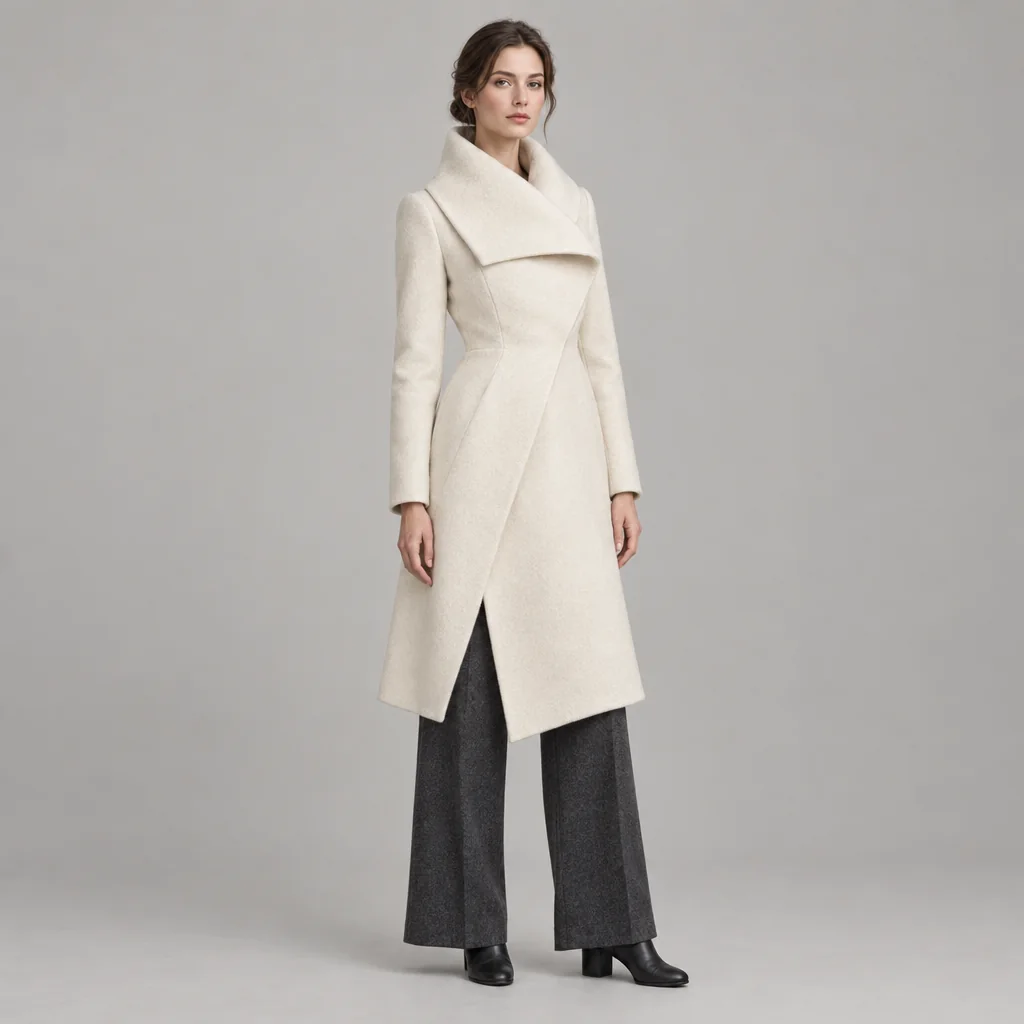
  • Long lace sleeves and a smooth skirt — on an original adult model
  • A full tulle skirt and bateau neckline
  • A minimal crepe column silhouette — on an original adult model

From an idea to an image

How to Design a Wedding Dress Concept with AI

  1. Step 1

    Start with the silhouette and fabric

    Name the main shape first: A-line, ball gown or column. Add a neckline, sleeve length and fabric such as satin, crepe or tulle. A sketch can guide the shape, while a garment photo can provide material or construction inspiration. By default, the gown is shown on a headless dress form. Ask for an original adult model to see the complete figure wearing the design.

  2. Step 2

    Create a complete bridal gown view

    Sign in and generate at the credit cost shown beside the button. The tall 3:4 composition is intended to show the dress from neckline to hem and train. Review the bodice, sleeve attachments and fabric drape. To explore another direction, change one main detail at a time rather than asking for several conflicting silhouettes.

  3. Step 3

    Save a design reference for discussion

    Download the concept you prefer and keep your written design notes alongside it. Use the image to discuss a neckline, lace placement or skirt volume with a qualified dressmaker. The image does not specify measurements, fabric quantities, seam allowances or construction instructions; those need a separate professional design and fitting process.

Choose the details that matter

AI Wedding Dress Design for Fabric and Silhouette Ideas

Keep attention on the gown

Choose a dress form for a garment-focused view or request an original adult model for a full-length fashion view. The whole gown is requested in view, including its hem and train. The result is a photographic concept image, not a catalog photograph of a manufactured dress.

Describe the details in your own words

Explore a smooth satin bodice, long lace sleeves, a full tulle skirt or a simple crepe column. Mention the placement and amount of detail, not just the material name. For example, lace sleeves with a plain skirt gives a clearer direction than lace everywhere. Your words guide the image; there are no separate fabric or neckline selectors.

Develop a sketch or garment reference

Upload an original sketch, fabric photo or garment reference to guide the design. A person in a reference is not reproduced; the reference guides the dress, not a personal fitting or a copy of a named designer’s dress.

A useful starting point

Wedding Dress Design Prompt Ideas

Use one scene or design per prompt. Name the main subject first, then describe a few materials, colors and lighting details.

An understated satin A-line

An ivory A-line wedding gown with a square neckline, short sleeves, a smooth satin bodice, a gently gathered skirt and a short train, complete gown on a plain headless dress form.

Lace sleeves with a quiet skirt

An ivory bridal gown with a high round neckline, long floral lace sleeves, an opaque lined bodice, a smooth crepe A-line skirt and a soft train, neutral studio background. Show the complete gown on an original adult model.

A light, full tulle silhouette

An ivory ball gown with a bateau neckline, short sleeves, a plain opaque bodice and a full layered tulle skirt with a rounded train, shown from neckline to hem on a headless dress form.

Make it work for your project

Explore Bridal Gown Ideas Before Choosing a Design

Compare a few gown directions

Place a simple satin concept beside a lace-sleeved gown or a fuller tulle skirt. Comparing one change at a time helps you decide which details belong in your design brief. The pictures do not predict how a dress will fit or look on your body.

Prepare a dressmaker conversation

Use a concept image to explain a neckline, train length or sleeve idea, then discuss feasibility with a qualified professional. A dressmaker will still need measurements, material choices and a construction plan. Treat visually plausible seams as inspiration, not technical instructions.

Build a bridal design mood board

Collect original silhouette and material studies for a mood board or presentation. Keep the same lighting and background in your prompts for a more coherent set. Add your own annotations later rather than expecting labeled dimensions in the generated image.

Turn a drawing into a fabric concept

Use an uploaded sketch to explore how satin, tulle or crepe might change a shape. Check that the interpreted neckline and skirt match your intention. For broader clothing ideas, use the fashion design generator; for wedding portraits, use the wedding photo generator instead.

Create more with one YouArt membership

This generator uses 8 credits for one 1K image. Membership credits work across YouArt image, video, audio, and workflow tools.

Basic

For hobbyists and explorers

$9.99/mo
Select Plan
  • 1000 credits
  • Up to ~200 images/month
  • Up to ~332s video/month
  • Intelligent creative agent
  • Video editor
  • Latest image models, including GPT Image 2.5, GPT Image 2 and Nano Banana Pro
  • Latest video models, including Seedance 2
  • Realistic face uploads
  • Voice generation with ElevenLabs
  • No watermark
  • Unlimited template access
Pro

Popular

For creators and pro users

$29.99/mo
Select Plan
  • 3300 credits
  • Up to ~1000 images/month
  • Up to ~1100s video/month
  • Intelligent creative agent
  • Video editor
  • Latest image models, including GPT Image 2.5, GPT Image 2 and Nano Banana Pro
  • Latest video models, including Seedance 2
  • Realistic face uploads
  • Voice generation with ElevenLabs
  • No watermark
  • Unlimited template access
Max

Best Value

For power users and teams

$149.99/mo
Select Plan
  • 18000 credits
  • Up to ~6000 images/month
  • Up to ~6000s video/month
  • Intelligent creative agent
  • Video editor
  • Latest image models, including GPT Image 2.5, GPT Image 2 and Nano Banana Pro
  • Latest video models, including Seedance 2
  • Realistic face uploads
  • Voice generation with ElevenLabs
  • No watermark
  • Unlimited template access

Team

For teams and studios

$329.99/mo
Select Plan
  • 36300 credits
  • Up to ~12000 images/month
  • Up to ~12100s video/month
  • Realistic face uploads
  • Share canvas, workflows, and assets with your team
  • Up to 10 members per team
  • Up to 5 teams
  • Role-based management
  • Team credit management and spending caps
  • Per-member usage tracking

Questions, answered

AI Wedding Dress Generator FAQ

By default, the gown is shown on a headless dress form. Ask for an original adult model to see the complete figure wearing the design. You can describe the silhouette, neckline, sleeves, fabric and train. The output is an image for exploring a design, not a purchasable dress or a technical sewing specification.

Build beyond one image

Turn your result into a complete creative workflow

Open YouArt's visual canvas to connect generation, editing, upscaling, animation, and sound in one reusable process.