Pop art filter

Pop Art Filter for Graphic Color and Halftone Texture

Upload a photo or describe a subject, then turn it into an original pop-art composition with hard contours, a limited high-contrast palette, flat screen-print color, and halftone shadows. Direct the pose, crop, palette, background shapes, and amount of negative space.

8 credits
Round sunglasses, strong contours, and primary-color halftones

Pop-art examples

Pop Art Filter Ideas for Portraits, Products, and Pets

  • Portrait with round sunglasses
  • Orange tabby in pink
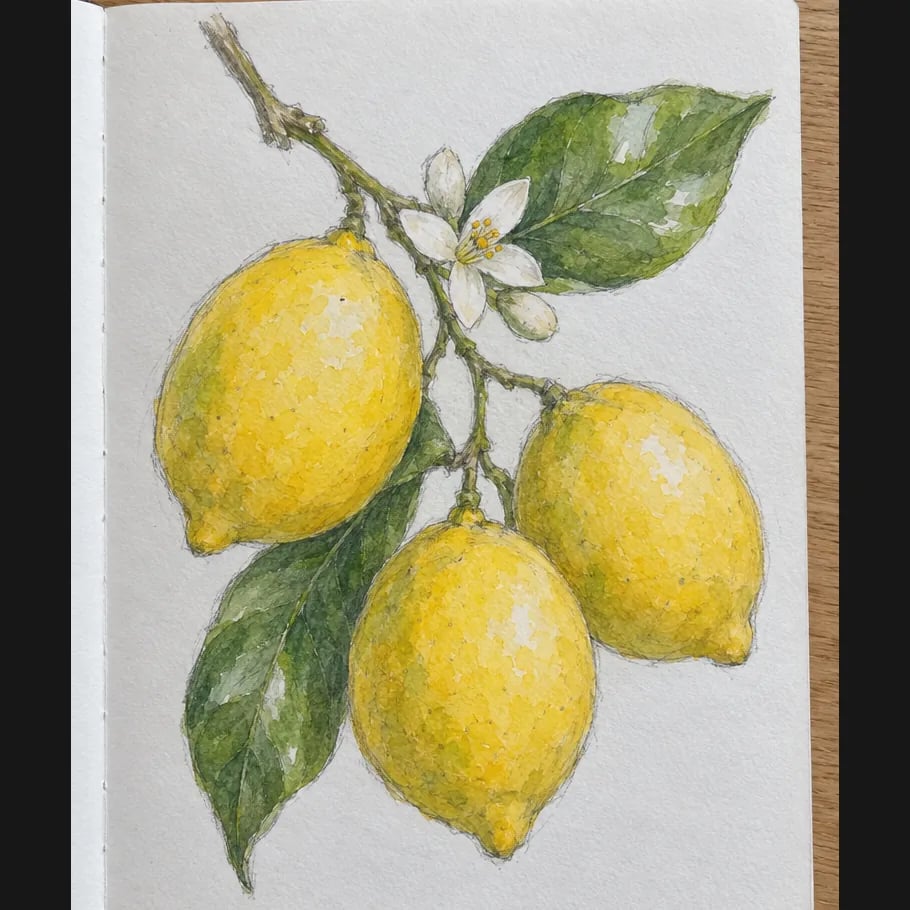
  • Lemons on cobalt
  • Red sneaker still life

How it works

Apply the Pop Art Filter in Three Steps

  1. Step 1

    Choose a subject and palette

    Start with a photo or written subject. Add the pose, crop, two or three dominant colors, background geometry, and where you want solid color or halftone shadow.

  2. Step 2

    Create one bold composition

    YouArt creates one 1K square pop-art image for 8 credits with graphic contours, flat color, and printed-dot texture.

  3. Step 3

    Check shapes and focal details

    Inspect the face, hands, object contours, color separation, and small details. Refine the brief if needed, then download your chosen image.

Pop-art controls

Build a Clear Pop-Art Visual System

Printed halftone texture

Dot patterns create shadow and depth without soft photographic gradients. State whether you want fine dots, coarse dots, or only a few textured shadow areas.

A deliberate limited palette

Two or three strong colors make the composition easier to read. Name exact color families and assign one to the subject, one to shadows, and one to the background.

Hard contours and clean space

Bold outlines and simplified background shapes keep portraits, pets, and products legible at poster size. Ask for clear negative space when you plan to add type later.

Prompt ideas

Pop-Art Prompts with Strong Subject Direction

Choose one focal subject, a tight palette, a clear crop, and simple background geometry.

Graphic studio portrait

Close portrait of a drummer in an orange jacket, confident three-quarter pose, cobalt background blocks, black graphic contour, cream highlights, coarse red halftone shadows, clean square poster crop.

Retro product still life

A turquoise countertop radio centered on a pink pedestal, cream and red geometric background, flat screen-print color, crisp black outline, small halftone shadow, generous space around the object.

Playful pet portrait

Front-facing bulldog in a blue bandana, orange graphic rays, teal shadow shapes, thick contours, halftone dots around the cheeks, friendly expression, centered square composition.

Ways to use it

Pop-Art Images for Posters and Campaign Concepts

Posters and cover art

Create a high-impact focal image with simple background shapes and room for title treatment added in a layout tool.

Social graphics

Turn a portrait, pet, object, or event moment into a square visual that remains clear at feed size.

Editorial illustration

Translate a person, product, or cultural topic into bold graphic art for articles, newsletters, and presentations.

Campaign direction tests

Explore palette and composition routes before adapting the approved direction into a broader set of brand assets.

Create more with one YouArt membership

This generator uses 8 credits for one 1K image. Membership credits work across YouArt image, video, audio, and workflow tools.

Basic

For hobbyists and explorers

$9.99/mo
Select Plan
  • 1000 credits
  • Up to ~200 images/month
  • At least ~1000s video/month
  • Intelligent creative agent
  • Video editor
  • Latest image models, including GPT Image 2 and Nano Banana Pro
  • Latest video models, including Seedance 2
  • Realistic face uploads
  • Voice generation with ElevenLabs
  • No watermark
  • Unlimited template access

Pro

Most Popular

For creators and pro users

$29.99/mo
Select Plan
  • 3300 credits
  • Up to ~1000 images/month
  • At least ~3300s video/month
  • Intelligent creative agent
  • Video editor
  • Latest image models, including GPT Image 2 and Nano Banana Pro
  • Latest video models, including Seedance 2
  • Realistic face uploads
  • Voice generation with ElevenLabs
  • No watermark
  • Unlimited template access

Max

For power users and teams

$149.99/mo
Select Plan
  • 18000 credits
  • Up to ~6000 images/month
  • At least ~18000s video/month
  • Intelligent creative agent
  • Video editor
  • Latest image models, including GPT Image 2 and Nano Banana Pro
  • Latest video models, including Seedance 2
  • Realistic face uploads
  • Voice generation with ElevenLabs
  • No watermark
  • Unlimited template access

Team

For teams and studios

$329.99/mo
Select Plan
  • 36300 credits
  • Up to ~12000 images/month
  • At least ~36300s video/month
  • Realistic face uploads
  • Share canvas, workflows, and assets with your team
  • Up to 10 members per team
  • Up to 5 teams
  • Role-based management
  • Team credit management and spending caps
  • Per-member usage tracking

Frequently asked questions

Pop Art Filter FAQ

What does the pop art filter create?
It creates a new pop-art image from text, an uploaded photo, or both. The result uses graphic contours, limited color, halftone shadows, and screen-print separation instead of simply increasing saturation.
How do I write a good pop-art prompt?
Name one focal subject, pose or action, crop, two or three colors, background shapes, and the amount of halftone texture. Keep the brief graphic and specific rather than mixing several unrelated art directions.
Can I apply the look to my own photo?
Yes. Upload a clear portrait or object photo and state which features, pose, or silhouette should remain recognizable. The result is regenerated artwork, so review small facial and product details at full size.
Can I choose the pop-art colors?
Yes. Name a compact palette such as coral, teal, and cream, then say where each color belongs. Generation can vary exact shades, so include the color names again when refining a result.
How much does one pop-art image cost?
Each run creates one 1K image and costs 8 YouArt credits. Editing the prompt is free until you generate; every additional variation is a new run.

Build beyond one image

Turn your result into a complete creative workflow

Open YouArt's visual canvas to connect generation, editing, upscaling, animation, and sound in one reusable process.