AI hairstyle preview

Long Hair Filter: See Yourself with More Length

Upload one portrait to explore a longer hairstyle, with hair falling below the shoulders by default. Ask for shoulder or chest length if you have a preference. Your existing color, texture and face guide the result, while the photo's framing sets how much length you can see.

8 credits
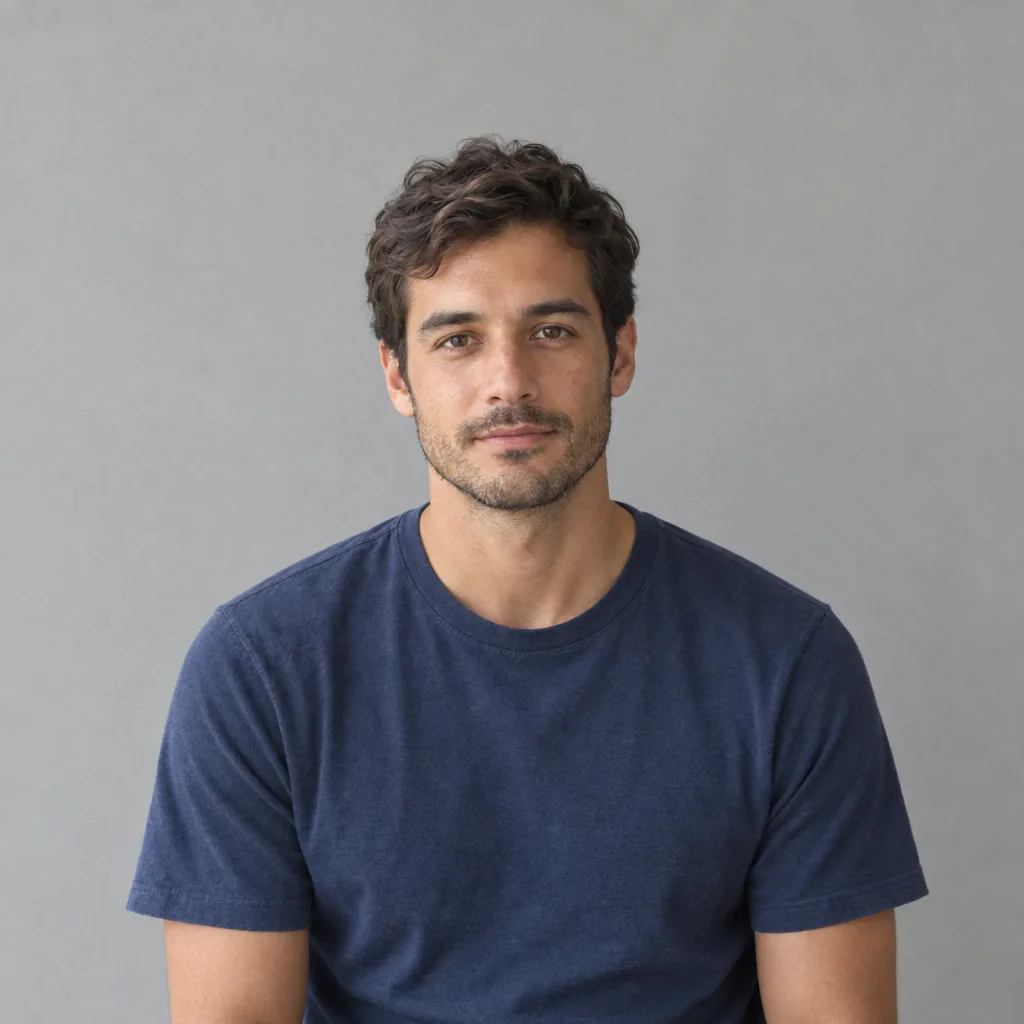
Short-haired man in a navy T-shirt before the long hair filter
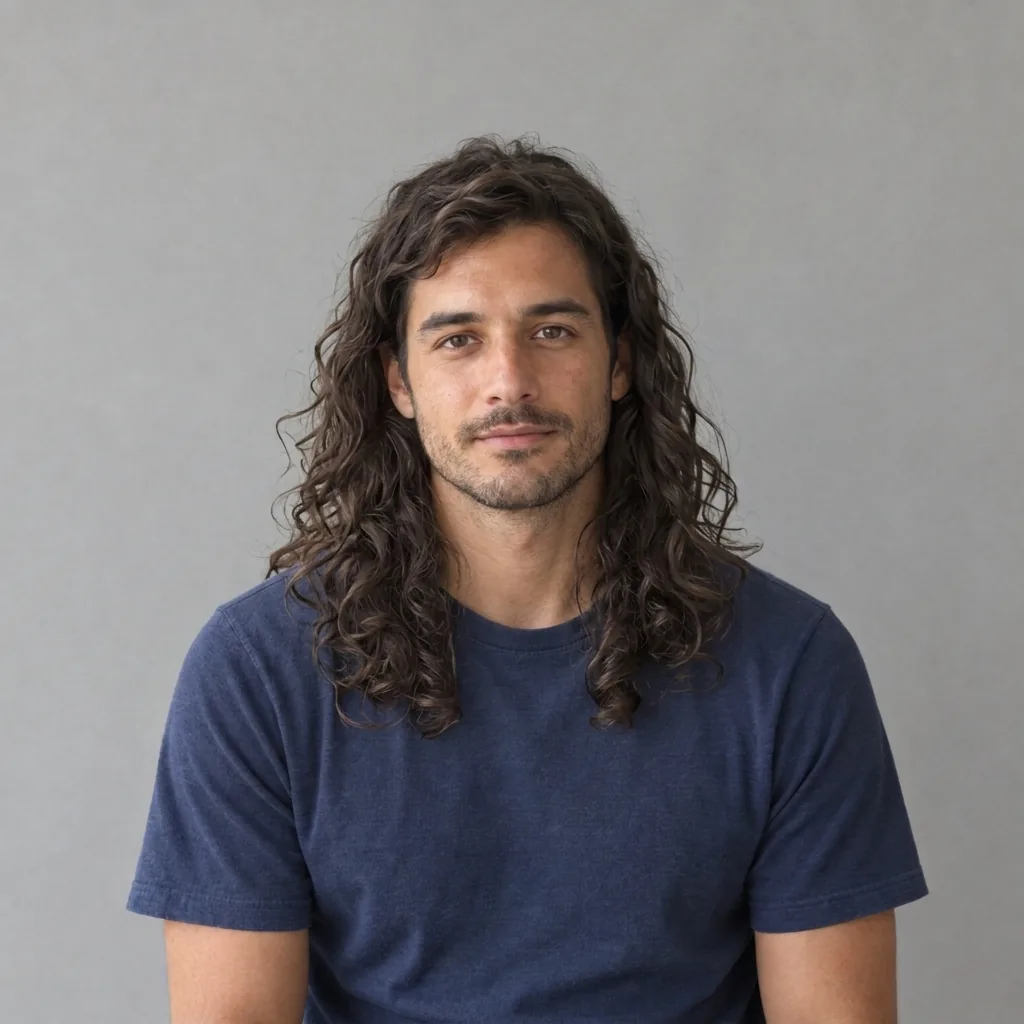
Long hair filter result showing the man with wavy brown hair extending below his shoulders
Drag to compare short hair and a longer wavy style.

Style ideas · GPT Image 2.5

Longer Hairstyles in Four Textures

  • Straight hair below the shoulders
  • Chest-length waves
  • Long natural curls
  • Silver hair with gentle movement

How it works

Try the Long Hair Filter in Three Steps

  1. Step 1

    Choose a portrait with room

    Upload a clear photo of one person, ideally showing the shoulders and upper torso. Keep the crown and existing hairline visible. A wider source lets you compare the new ends against the clothing, while a face-only crop leaves little space to show added length.

  2. Step 2

    Pick a length direction

    Leave the words empty for naturally longer hair below the shoulders. Add shoulder length or chest length if that better describes your idea. One generation costs 8 credits and returns one 1K square image. The edit follows the existing frame rather than extending the body or background.

  3. Step 3

    Check the ends and download

    Compare the hairline, texture, sides and ends with the source. Look at how the new strands fall around the neck, shoulders and clothes, and make sure the face and any beard still feel familiar. Download a favorite result or generate another length separately.

Length without a new identity

A Long Hair Preview Guided by Your Portrait

Describe where the ends should fall

Shoulder length and chest length give the edit a visible target. The default aims below the shoulders without asking you to write a prompt. The source frame still matters: hair that would extend beyond a close crop cannot be fully shown without a wider starting photo.

Continue your existing texture

Straight hair, waves and curls have different shapes as they grow longer. The instructions ask to extend the source texture and retain its color and part, not automatically straighten or curl it. Review the transition between the original hair and added length for a natural-looking flow.

Keep the entire change in frame

Hair tips tell you more about length than a close-up of the face. Use a waist-up or upper-torso portrait for chest-length ideas, with a simple background and visible shoulders. Avoid a hat or hair hidden behind clothing when you want the source to clearly guide the result.

Optional directions

Prompts for Shoulder-Length and Chest-Length Hair

A photo alone is enough to start. Use a source with visible shoulders and enough room for the length you want to compare.

Shoulder length

Extend my hair to the shoulders with natural ends, keeping the original color, part and texture.

Chest length

Longer hair falling to the upper chest where it fits inside this photo; keep the same face, clothes and background.

Keep the texture

Continue my existing waves through the added length, with believable strands around the shoulders and no change of hair color.

Ways to explore

Compare Longer Hair Before Choosing a Direction

Picture a growing-out style

Explore the outline of longer hair while your current cut is still short. The image is a visual idea, not a forecast of growth speed, future hair density or how your hair will behave over time.

Compare length choices

Use the same source in separate runs for shoulder-length and chest-length ideas. Keep the texture request consistent so length remains the main difference. Each generated variation is a separate paid image.

See familiar texture at a new length

Try more length on straight, wavy or curly hair without making color the focus. A clear source helps you judge whether the added strands continue the original texture or drift toward a different style.

Save a visual style reference

Keep a favorite preview to describe an outline, part or length you like. Bring the original photo into the comparison too. A generated image does not establish that the style can be achieved with your current cut or natural hair density.

Create more with one YouArt membership

This generator uses 8 credits for one 1K image. Membership credits work across YouArt image, video, audio, and workflow tools.

Basic

For hobbyists and explorers

$9.99/mo
Select Plan
  • 1000 credits
  • Up to ~200 images/month
  • Up to ~332s video/month
  • Intelligent creative agent
  • Video editor
  • Latest image models, including GPT Image 2.5, GPT Image 2 and Nano Banana Pro
  • Latest video models, including Seedance 2
  • Realistic face uploads
  • Voice generation with ElevenLabs
  • No watermark
  • Unlimited template access

Pro

Most Popular

For creators and pro users

$29.99/mo
Select Plan
  • 3300 credits
  • Up to ~1000 images/month
  • Up to ~1100s video/month
  • Intelligent creative agent
  • Video editor
  • Latest image models, including GPT Image 2.5, GPT Image 2 and Nano Banana Pro
  • Latest video models, including Seedance 2
  • Realistic face uploads
  • Voice generation with ElevenLabs
  • No watermark
  • Unlimited template access

Max

For power users and teams

$149.99/mo
Select Plan
  • 18000 credits
  • Up to ~6000 images/month
  • Up to ~6000s video/month
  • Intelligent creative agent
  • Video editor
  • Latest image models, including GPT Image 2.5, GPT Image 2 and Nano Banana Pro
  • Latest video models, including Seedance 2
  • Realistic face uploads
  • Voice generation with ElevenLabs
  • No watermark
  • Unlimited template access

Team

For teams and studios

$329.99/mo
Select Plan
  • 36300 credits
  • Up to ~12000 images/month
  • Up to ~12100s video/month
  • Realistic face uploads
  • Share canvas, workflows, and assets with your team
  • Up to 10 members per team
  • Up to 5 teams
  • Role-based management
  • Team credit management and spending caps
  • Per-member usage tracking

Questions answered

Long Hair Filter FAQ

It creates a new portrait with longer scalp hair, using the uploaded person's appearance and scene as its reference. The default extends hair below the shoulders while aiming to keep its original color and texture. A photo is required; extra words are optional.

You can describe a preferred length in the text box. Shoulder and chest length are useful directions when those areas are visible in the source. There is no separate length slider or frame-extension control. Choose a wider photo when the requested ends would otherwise fall outside the image.

The instructions ask to retain the source color, hairline, part and straight, wavy or curly texture through the added length. It is not intended as a combined dye or curl treatment. AI can still change strand patterns or volume, so compare them with the original.

It aims to retain recognizable facial features, skin texture, expression, facial hair, clothing and background. AI can introduce differences around the hairline, ears or neck. Inspect these areas, along with any glasses or jewelry, before choosing the image.

A short hairstyle with a visible hairline and texture gives the edit a better guide. A bald or mostly covered scalp leaves the AI to invent more details and may look less familiar. Use an evenly lit single-person portrait with room around the head and shoulders; this is a style preview, not a hair-growth prediction.

Each generation uses 8 YouArt credits and returns one 1K image in a fixed 1:1 square frame. Uploading a photo or changing the optional words does not charge for a run. Each generated length variation uses another 8 credits, shown before you generate.

Keep exploring

More AI art styles to try

The closest looks to this one. Each is a full generator with its own prompt studio and examples.

Browse all 117 AI generators

Build beyond one image

Turn your result into a complete creative workflow

Open YouArt's visual canvas to connect generation, editing, upscaling, animation, and sound in one reusable process.